How to leverage the WP-PageNavi plugin to create a simple, ajax-free pagination.
Step 1: Install the Plugin
Install and activate the WP-PageNavi plugin
Step 2: Settings
Navigate to Settings > PageNavi and configure the settings like so (or however you need to suit your needs):
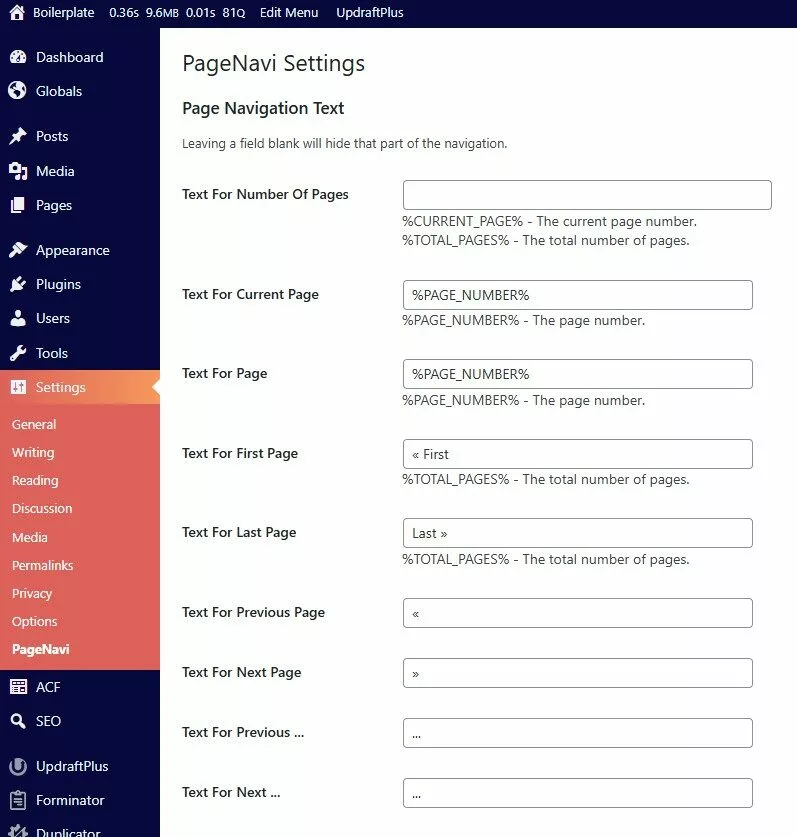
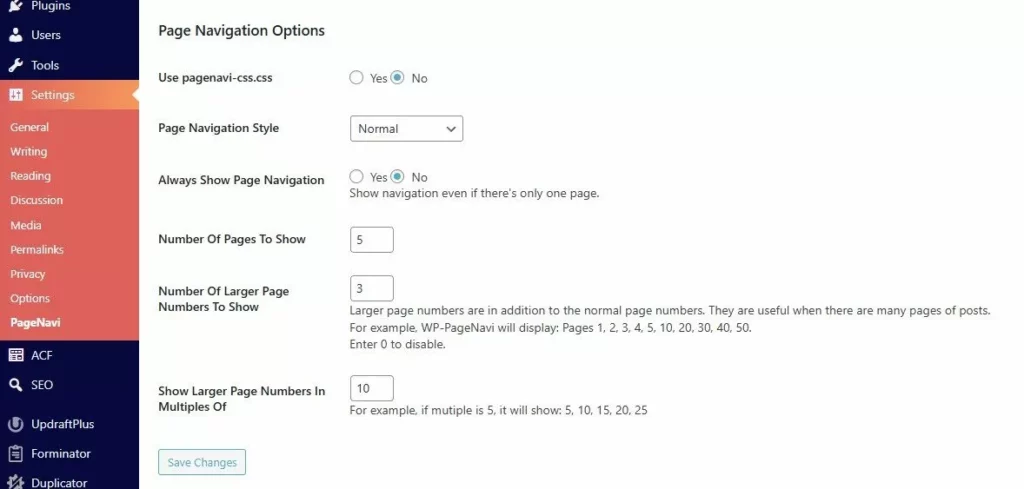
Step 3: Create a pagination.php file
I recommend creating it in the /inc/ subfolder
pagination.php
            <?php
/**
 * PageNavi settings can be found here: /wp-admin/options-general.php?page=pagenavi
 *
 * @source https://en-ca.wordpress.org/plugins/wp-pagenavi/
 */

$query = $wp_query;
$total_posts = $query->found_posts;
$posts_per_page = $query->query_vars['posts_per_page'];
$current_page = max(1, get_query_var('paged'));
$start = (($current_page - 1) * $posts_per_page) + 1;
$end = min($current_page * $posts_per_page, $total_posts);

if( $total_posts > 2 ) : ?>

    <div class="pagination">

        <p class="pagination__showing">
            Showing <?= $start; ?>-<?= $end ?> of <?= $total_posts; ?>
        </p>

        <div class="pagination__numbers">
            <?php wp_pagenavi(array( 'query' => $query )); ?>
        </div>

    </div>

<?php endif; ?>
Step 4: Style it
Here are some basic styles to get you started:
_pagination.scss
            .pagination {
  display: flex;
  justify-content: space-between;
  align-items: center;
}

.wp-pagenavi {
  display: flex;
  gap: 1rem;
}
Step 5: Include the pagination where required
<?php include get_template_directory() . '/inc/pagination.php'; ?>
Back to Snippets