Here’s an example of how you can loop through an ACF relationship field when using a custom post type. Simply change the post_type object to point to your custom post type.
block_cpt.php
            $cpt = get_sub_field('custom_post');

if($cpt) : ?>

    <div class="post-list">

        <?php foreach($cpt as $post) :

            // Setup this post for WP functions (variable must be named $post).
            setup_postdata($post);

            ?>

            <article class="article">
                <?php if( $post->post_type == 'team-member' ) {
                    include get_template_directory() . '/inc/card-content-team-member.php';
                } else {
                    include get_template_directory() . '/inc/card-content.php';
                } ?>
            </article>

        <?php endforeach; ?>

    </div><!-- END post-list -->

<?php wp_reset_postdata();  endif; ?>
Optional: content-team-member.php code
            <?php if ( has_post_thumbnail($post->ID) ) : ?>
    <div class="article__image">
        <a href="<?php the_permalink($post->ID); ?>">
            <?php the_post_thumbnail('large'); ?>
        </a>
    </div>
<?php endif; ?>
<div class="article__body">
    <h4 class="article__title"><a href="<?php the_permalink(); ?>"><?php the_title(); ?></a></h4>
    <p class="article__excerpt">
        <?php if( has_excerpt($post->ID) ) :
            print get_the_excerpt($post->ID);
        else :
            print tm_flexible_excerpt($post->ID);
        endif; ?>
    </p>
    <a href="<?php the_permalink(); ?>" class="article__button button">View Bio</a>
</div>
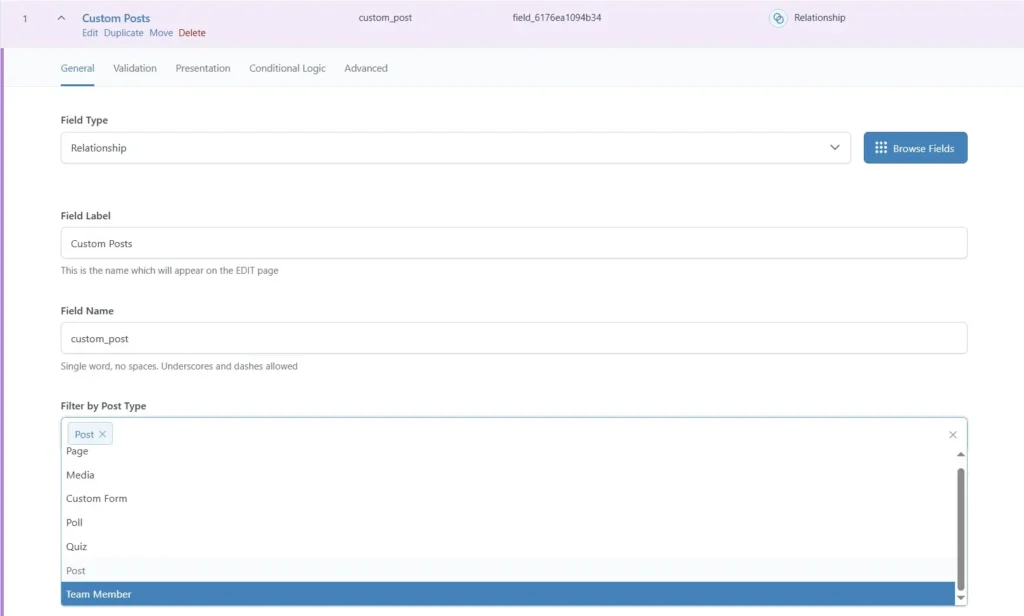
Don’t forget to add the post type to your ACF custom post type block:
Back to Snippets